AJT icon mark Aaron Johnson Tech — Security Operations, Detection Engineering, AI Security

Hardening and secure access case study

Linux Hardening & Secure Access Control

Implemented a secure Linux access baseline using UFW default-deny firewall rules, SSH restricted to a trusted administrative host, ED25519 key-based access, validation checks, and documented rollback procedures.

LinuxUFWOpenSSHED25519 keysRollback planningSecure administration
Objective

Reduce unnecessary inbound exposure and harden administrative SSH access.

Firewall

UFW default deny inbound, allow outbound, and SSH limited to a trusted admin host.

Access

Password authentication and root login disabled; ED25519 key access validated.

Outcome

A documented secure baseline with validation screenshots and recovery steps.

Case-study summary

Security problem

Default Linux access patterns can leave administrative services broader than they need to be. The goal was to reduce exposure, enforce key-based access, and keep a safe rollback path in case the change locked out legitimate administration.

Environment

Ubuntu host protected by UFW, Kali trusted administrative host, OpenSSH service, ED25519 SSH key pair, and documented command-line validation artifacts.

Build / implementation

Reset and configured UFW, applied default-deny inbound policy, allowed outbound traffic, restricted SSH to the trusted admin host, generated and installed ED25519 keys, hardened sshd_config, restarted services, and tested the result.

Validation

Validated firewall status, SSH service status, key-only login, and rollback/recovery steps before treating the control as complete.

Analyst takeaway

What this proves to a hiring manager

This project shows security control implementation with operational discipline: plan the control, apply it carefully, validate access, document evidence, and prepare rollback so the system remains recoverable.

Skills demonstrated

Role-aligned capabilities

  • Linux system hardening
  • Firewall policy implementation
  • SSH secure administration
  • Change validation and rollback planning
  • Security documentation that a team can repeat

Evidence gallery

Screenshots and artifacts

Diagram showing Kali admin host connecting over SSH to the Ubuntu host, with UFW default-deny inbound policy and SSH key-only authentication.
Secure-access topology showing trusted admin access to the hardened Ubuntu host.
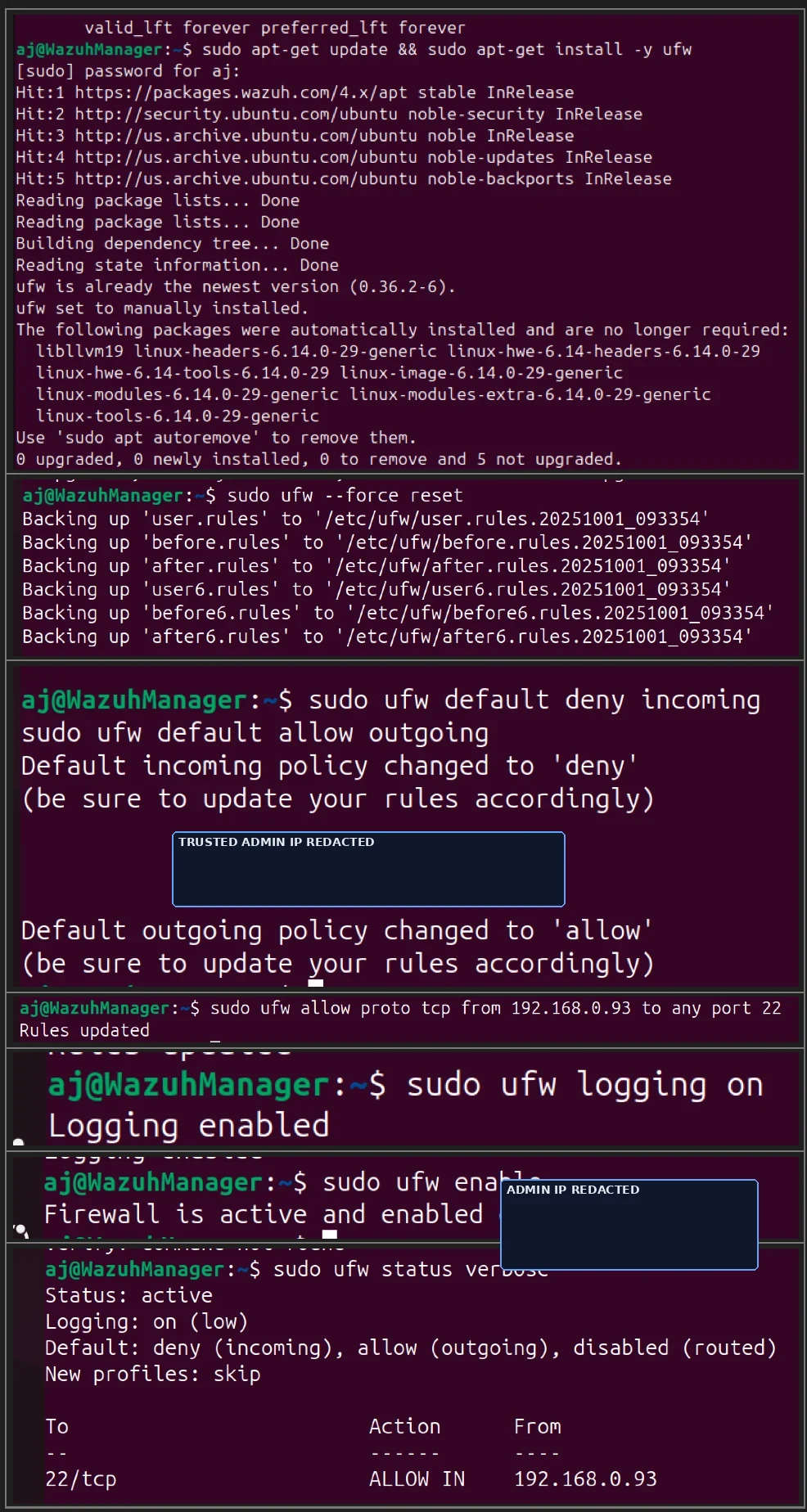
UFW implementation sequence showing firewall baseline commands and final status output.
Firewall baseline sequence: reset, default deny inbound, allow outbound, trusted SSH rule, logging, enable, and status.
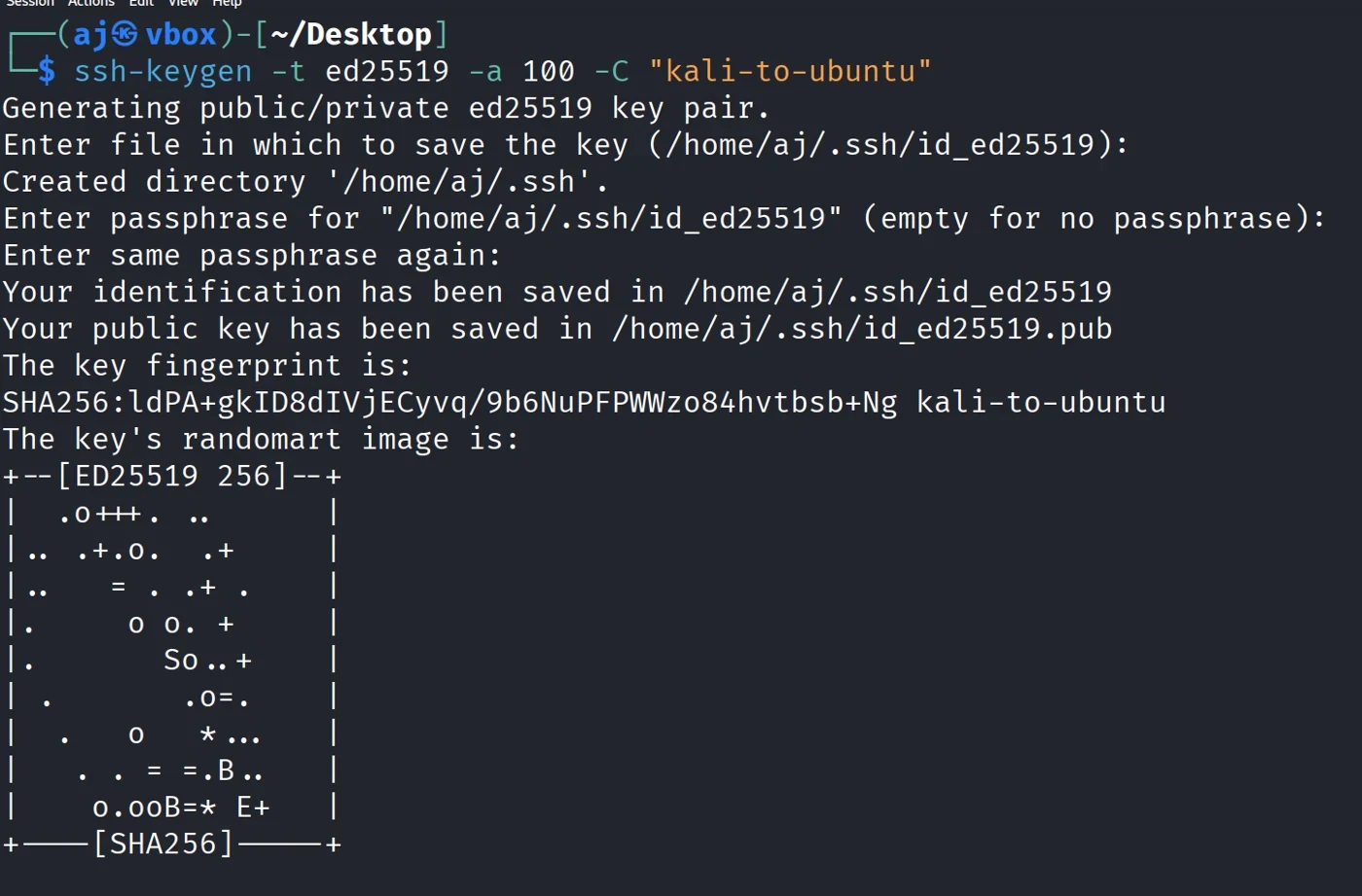
Terminal output showing generation of an ED25519 SSH key pair.
ED25519 key-pair generation for SSH key-only access.
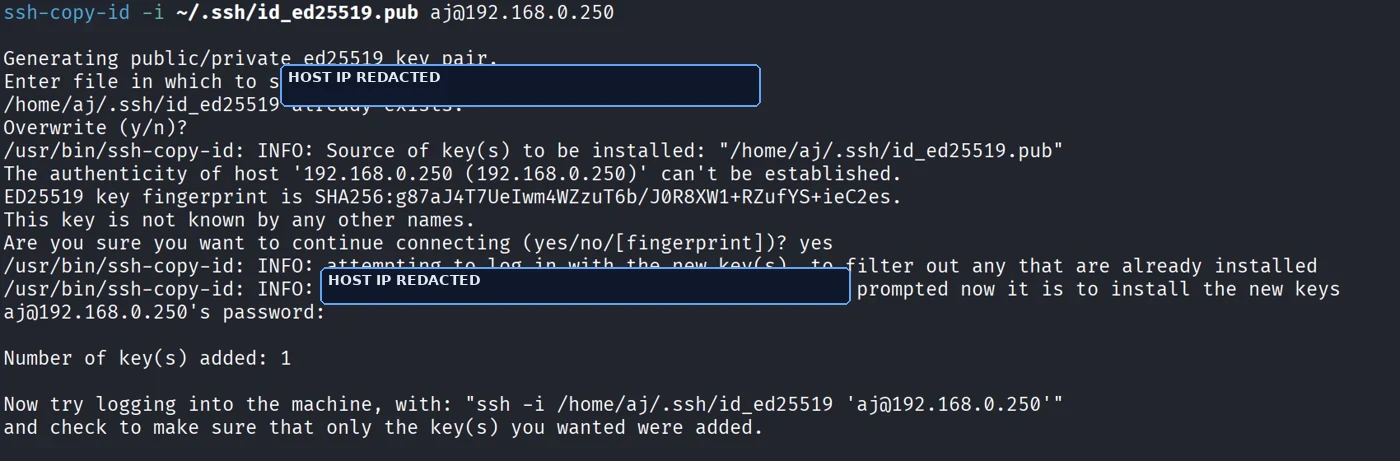
Terminal output showing ssh-copy-id installing the public key on the Ubuntu host.
Public key installation on the Ubuntu host.
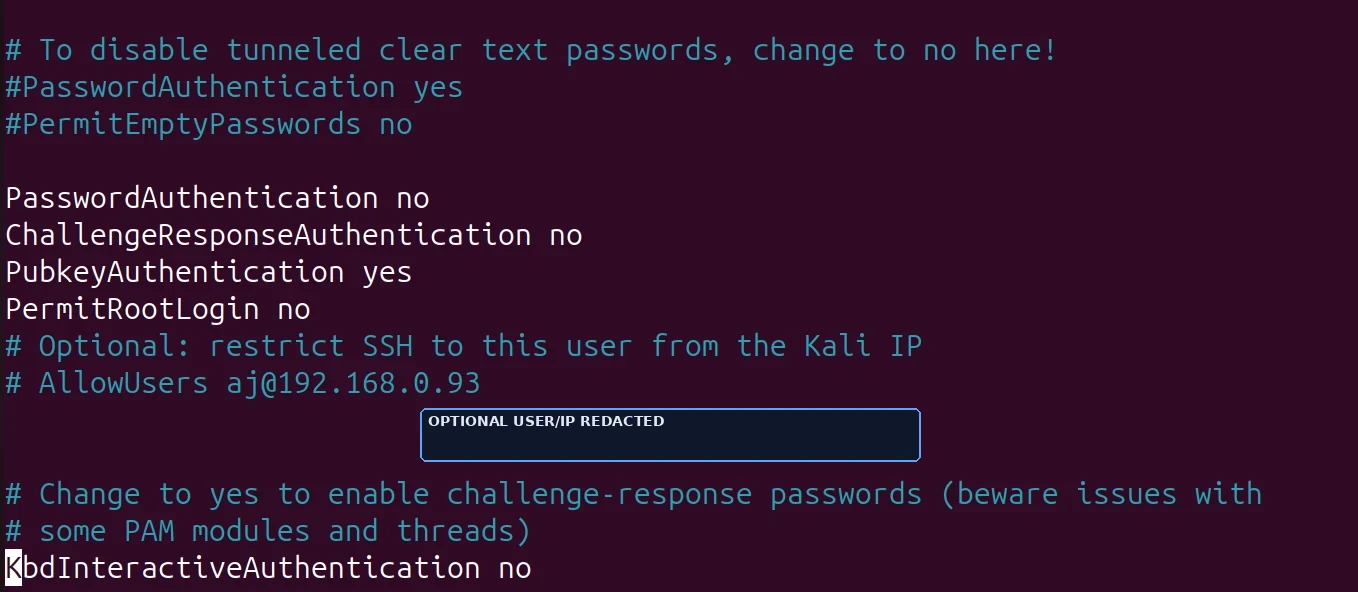
Excerpt from sshd_config showing PasswordAuthentication no, ChallengeResponseAuthentication no, PubkeyAuthentication yes, and PermitRootLogin no.
sshd_config hardening choices for key-only, non-root administrative access.
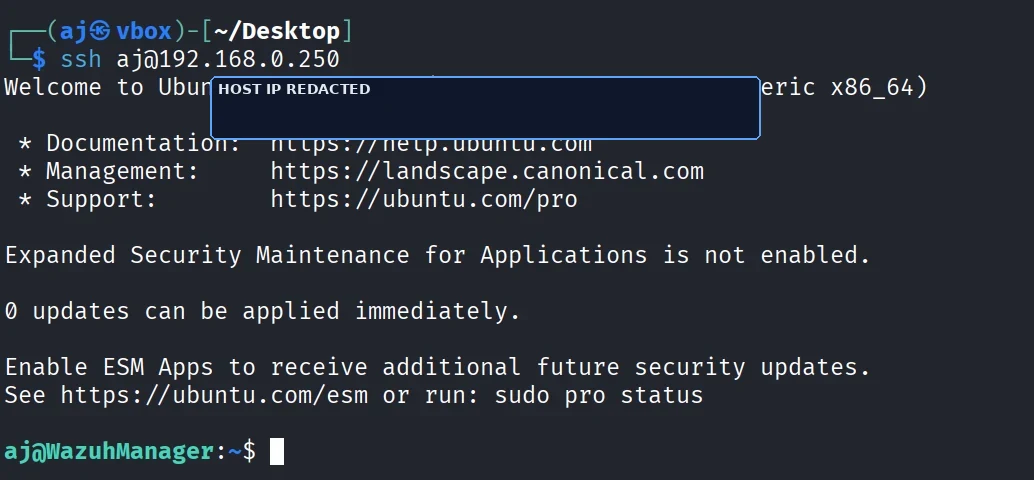
Terminal output showing successful SSH login to the Ubuntu host after key-only hardening.
Successful key-based SSH login validation after hardening.
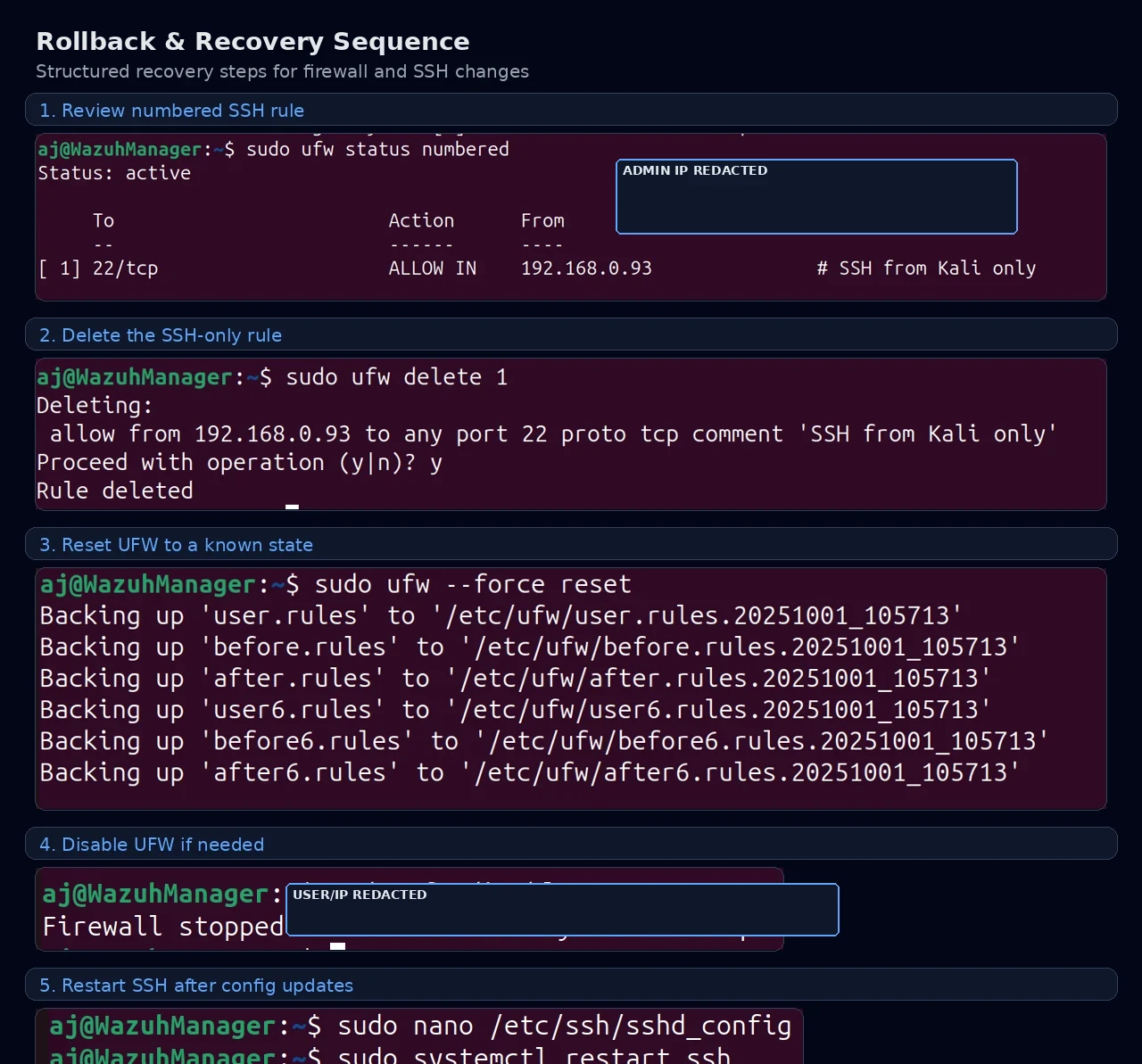
Composite image showing numbered UFW rollback and SSH recovery steps.
Documented rollback and recovery commands for safe change management.

Continue reviewing

Related case studies